

Your Benefits with the dotSource AI Platform
Bringing together chat, AI agents and workflows on one platform to prevent data silos
Ready-to-use environment with pre-built use cases instead of lengthy internal IT projects
Data processing in the EU without sharing your data with external services
Transparent pricing structure and clearly defined services for maximum planning certainty
Comprehensive full service, including backups, regular updates, monitoring and support
Easy integration of existing systems such as Jira, Salesforce or Microsoft 365
Step-by-step development from initial pilot use cases through to a company-wide AI and automation strategy
The dotSource AI Platform at a Glance
As part of this product tour, Lydia Kraske, AI Consultant at dotSource, provides you with valuable insights into the features of the dotSource AI Platform.
Use Cases Powered by the dotSource AI Platform
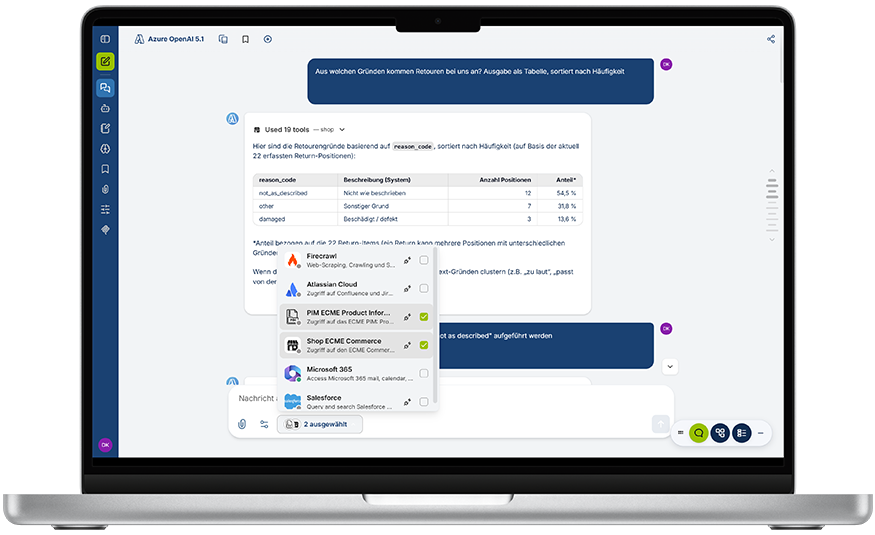
Analyse Returns
Connect shop data with information from analytics tools, product information management systems and more.
Automate Your Inbox
The dotSource AI Platform prioritises your inbox, summarises topics and initiates follow-up actions.
Reduce Customer Support Workloads
The dotSource AI Platform consolidates system data and prepares responses that your support team can approve directly.
Provide Company-Wide Knowledge
Make knowledge access easier: Employees can retrieve exactly the information they need via chat.
How You Can Leverage the dotSource AI Platform

AI Chatbot
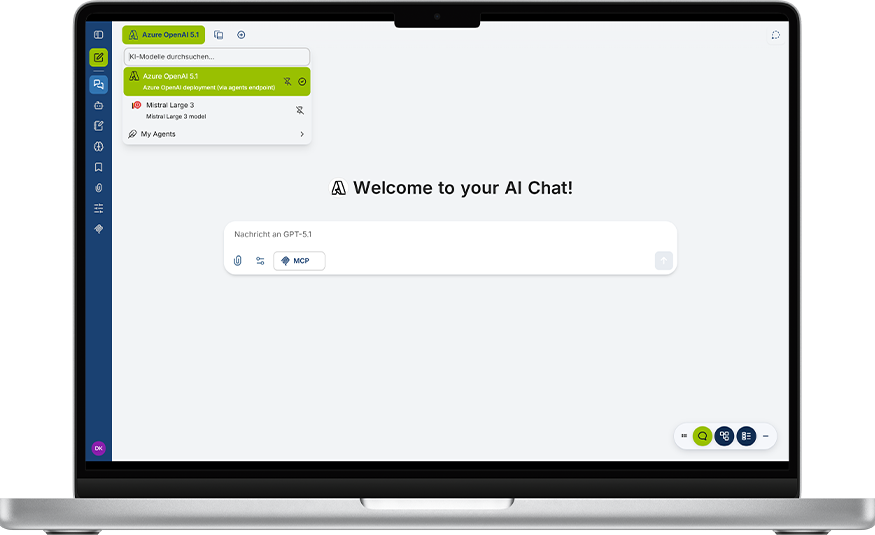
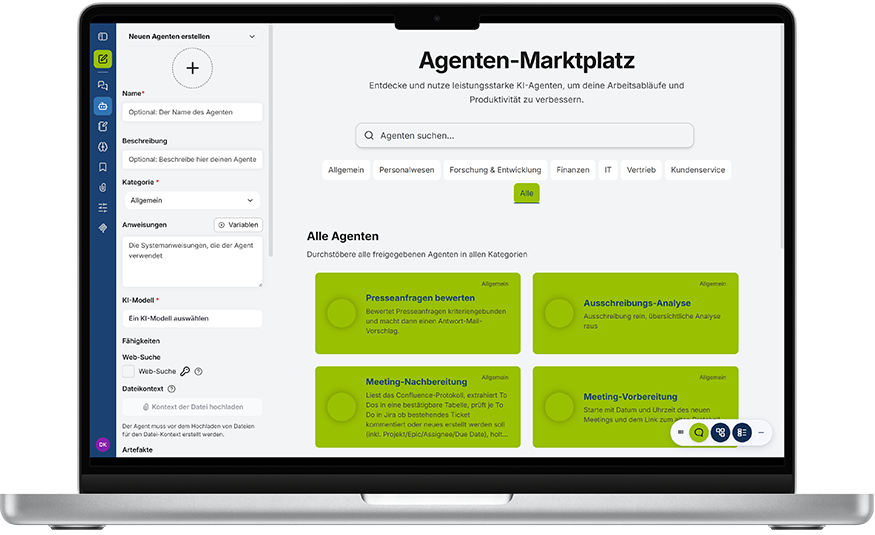
In the front end, you can use chat, AI agents and projects centrally in one place and switch dynamically between suitable AI models.
Project Roadmap: From Idea to Productive AI in Just 3 Months
Month 1: Kick-off and Use Cases
- Kick-off: Define goals and align expectations
- Set-up: Provision and configuration of your AI platform
- Training: Empower your team for day-to-day work
- Workshop: Covering use cases and infrastructure
Month 2: Initial Results
- Use Cases: Implementation of initial standard applications
- Review: Presentation of benefits and recommendations for action
Month 3: Custom Use Cases
- Requirements: Planning custom use cases
- Roadmap: Final concept for the company-wide rollout
- Data Integration: Integration of internal sources via MCP
Package 2: Quick Start Automation
Month 1: Kick-off and Use Cases
- Kick-off: Define goals and align expectations
- Set-up: Provision and configuration of your automation platform
- Training: Empower your team for process automation
- Workshop: Covering use cases and infrastructure
Month 2: Initial Results
- Prototyping: Development of your first automation prototype
- Review: Presentation of benefits and recommendations for action
Month 3: Custom Use Cases
- Requirements: Workshop for planning custom use cases
- System Integration: Integration of your specific business systems
- Roadmap: Final concept for company-wide scaling
Your Path Forward Starts Here
Your Contact for Further Questions

You Will Hear from Us Soon
- Our AI experts will take your enquiry and get back to you within one working day.
Other AI Services at a Glance




FAQ – Frequently Asked Questions About the dotSource AI Platform
What is the dotSource AI Platform?
The platform is a secure and fully managed environment for the productive use of AI across your business. It brings together chat, AI agents and projects and connects them to your data sources and systems.
Can I integrate my own data and systems?
Yes. The platform can connect internal data sources and systems via interfaces and MCP, for example Microsoft 365, Confluence, Jira, Salesforce, SAP or other specialised systems. This enables chat and agents to work with relevant company-wide knowledge.
Where is my data processed?
Depending on the operating model, the platform runs exclusively on EU-based servers – either hosted by dotSource or as part of your infrastructure. This ensures that your data protection and compliance requirements are taken into account.
Who is the platform suitable for?
The platform is suitable for businesses that want to use AI securely, in a controlled manner and at scale. It is particularly relevant for organisations that want to take their first use cases live, avoid tool sprawl or integrate AI more deeply into existing processes.
Is the platform also suitable for complex use cases?
Yes. You can implement both simple and complex tasks – from chatbots and virtual assistants to agents and automated workflows.